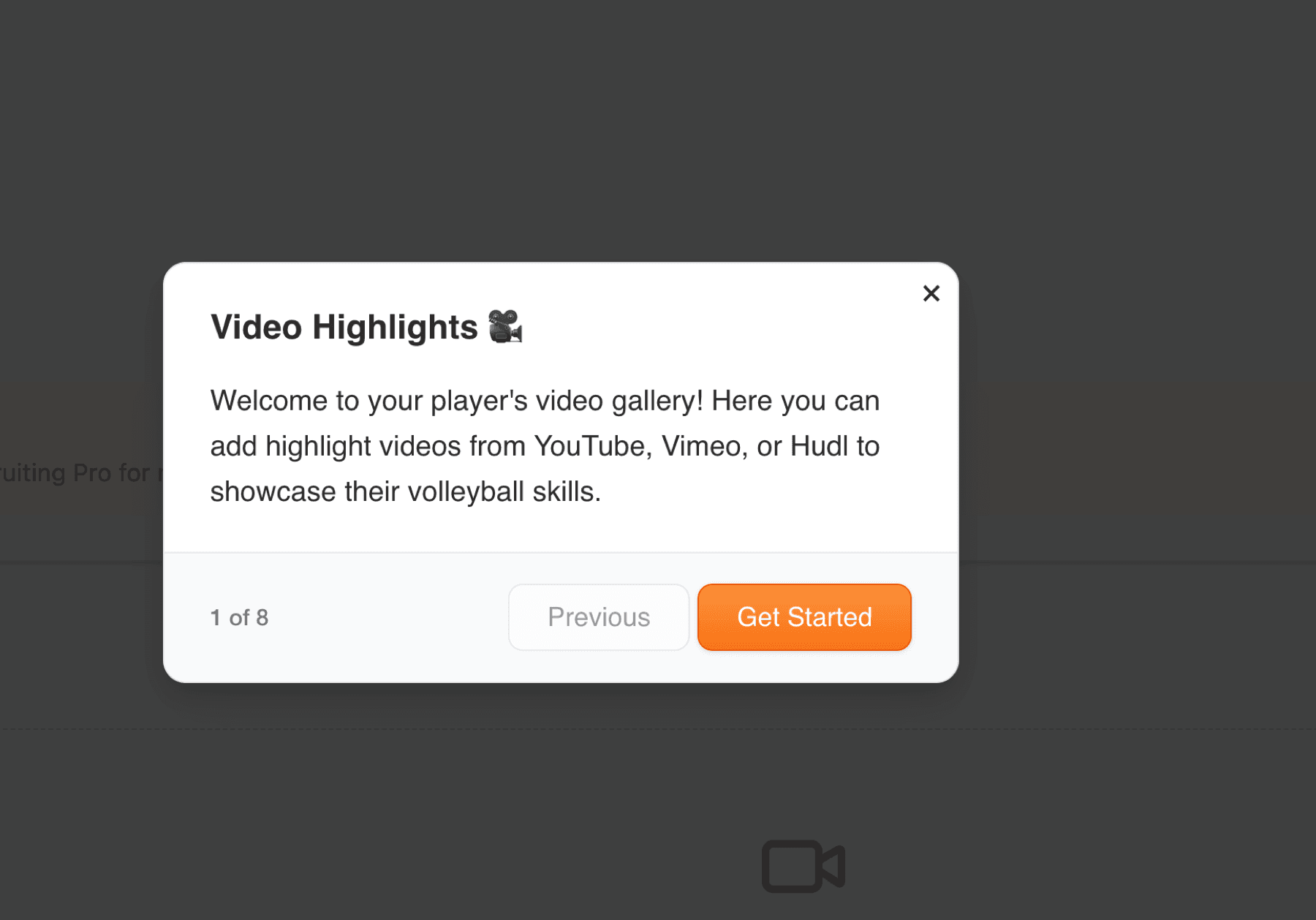
Videos bring your player's skills to life. Unlike photos, videos don't require moderation, they go live immediately since video platforms (YouTube, Hudl, etc.) handle their own content moderation. Add highlight reels, full game footage, skills demonstrations, and tournament performances to showcase your athlete in action.
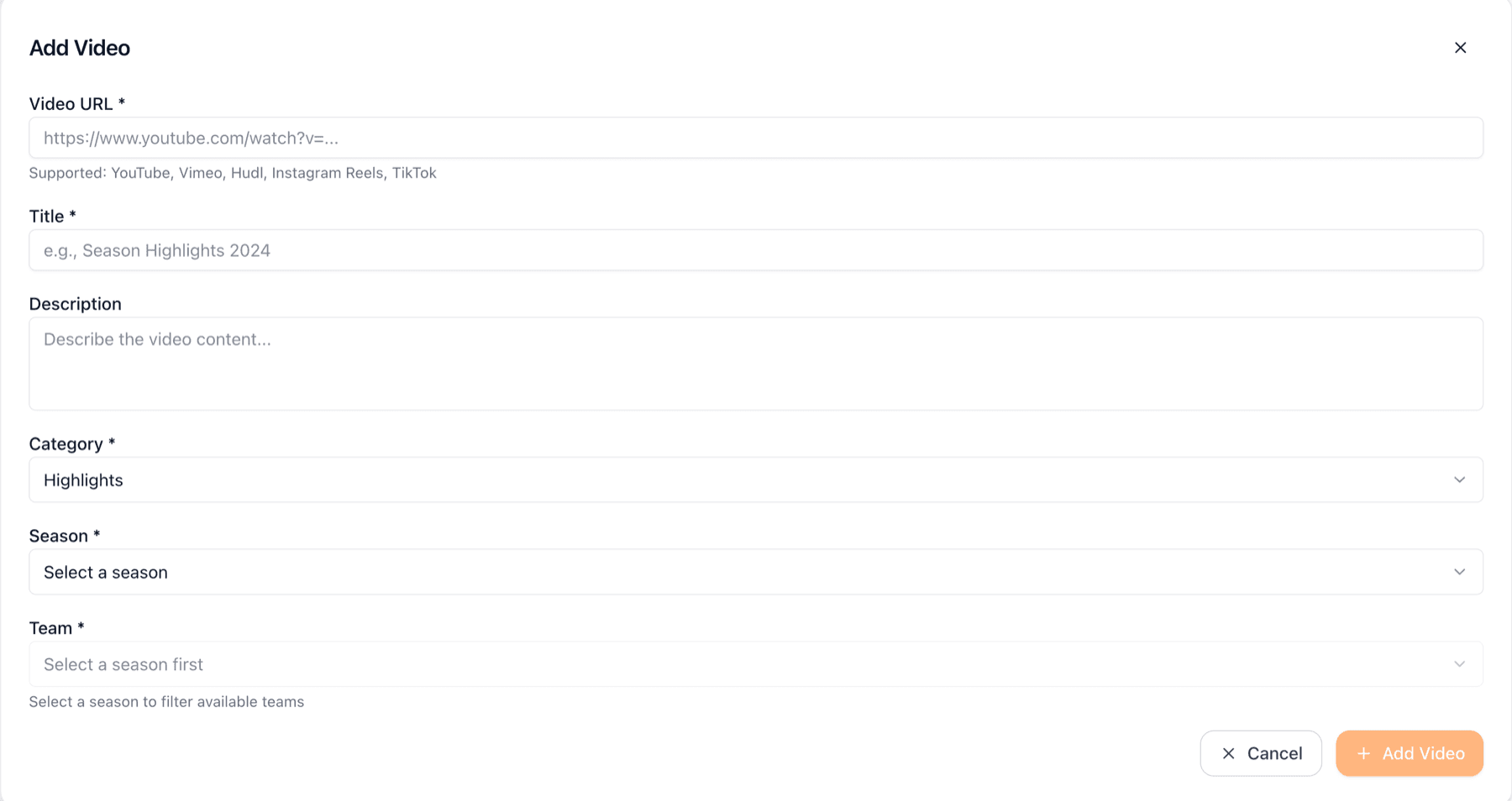
Click 'Add Video' to start. You'll need the URL from your video hosting platform. We support YouTube, Vimeo, Hudl, Instagram Reels, and TikTok. Paste the full URL (like https://www.youtube.com/watch?v=...) and we'll automatically detect and embed it. Add a descriptive title, optional description, select a category (Highlights, Full Game, Skills, or Other), and optionally associate it with a season, team, or specific game. If video is actual game footage we strongly encourage you to associate it to the corresponding game, the video will appear on the Media tab of the game details page.
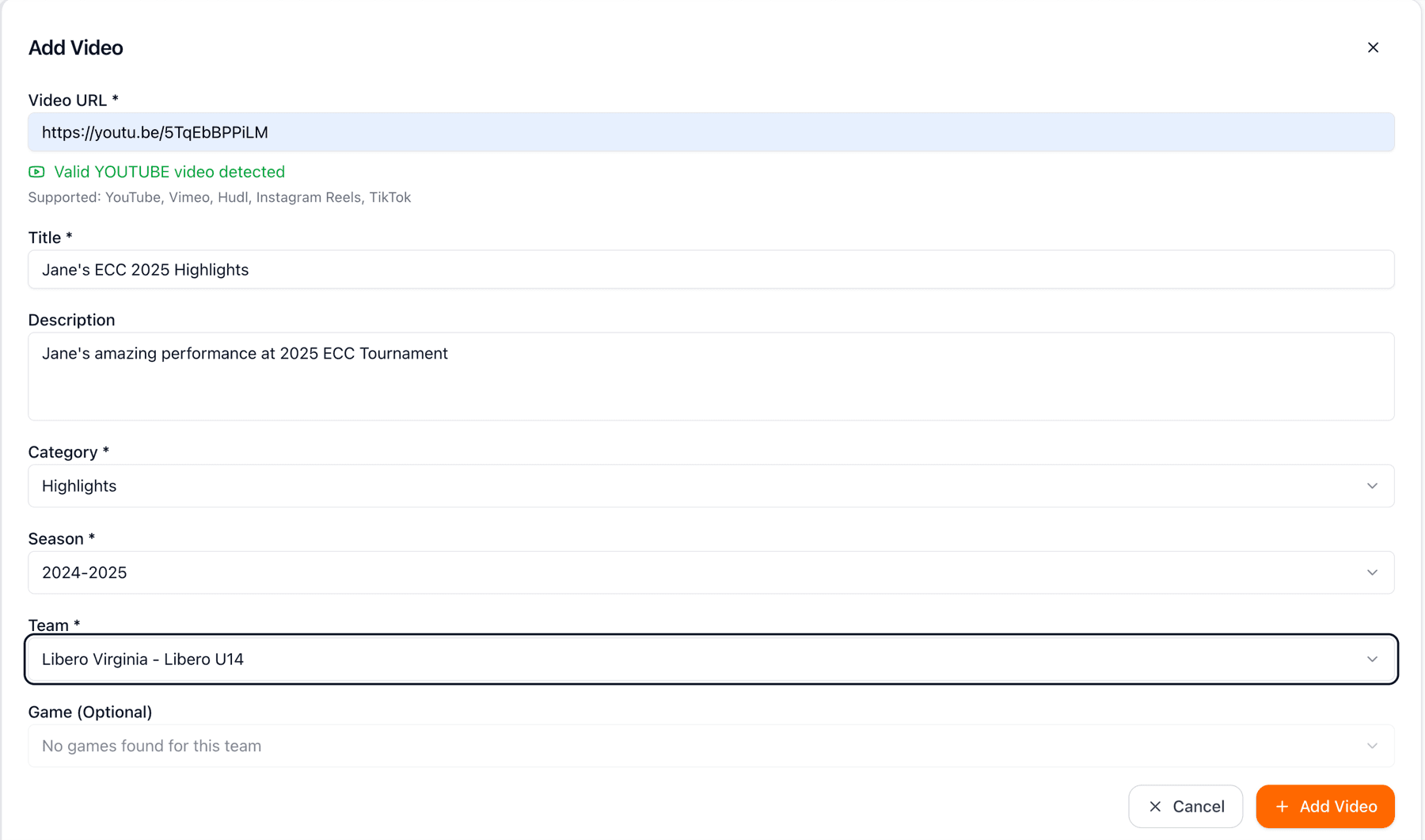
Example below shows a filled-out Add Video form. The video URL has been validated (see the green checkmark), title and description are added, category is selected, and it's associated with the current season and team. You can also link videos to specific games for context. Once you click 'Add Video,' it goes live immediately on your showcase.
Need to update video details? Click the edit button on any video. You can change the title, description, category, or associations. The video URL itself cannot be changed (you'd need to delete and re-add with a new URL). This flexibility lets you keep information current as seasons progress.
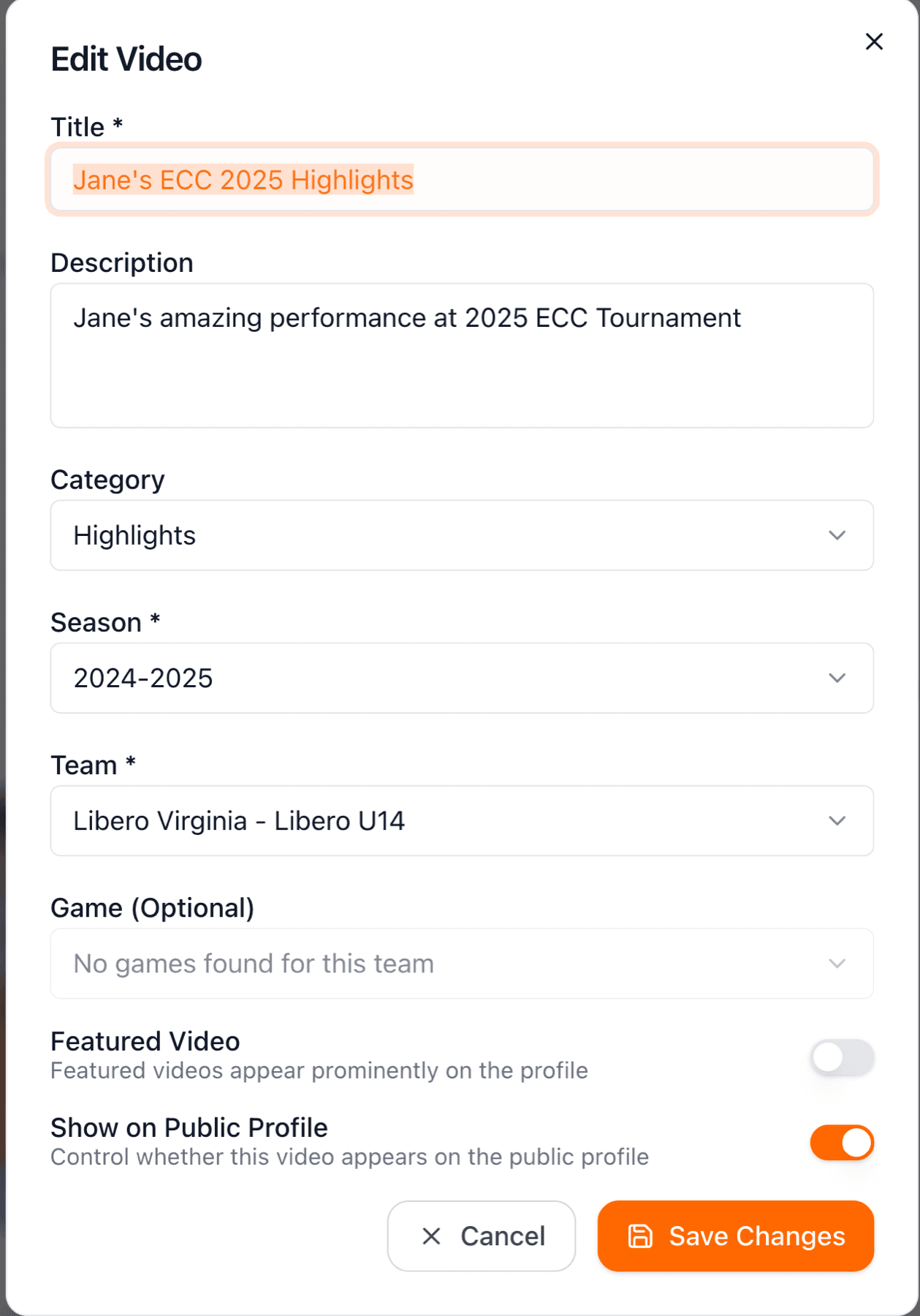
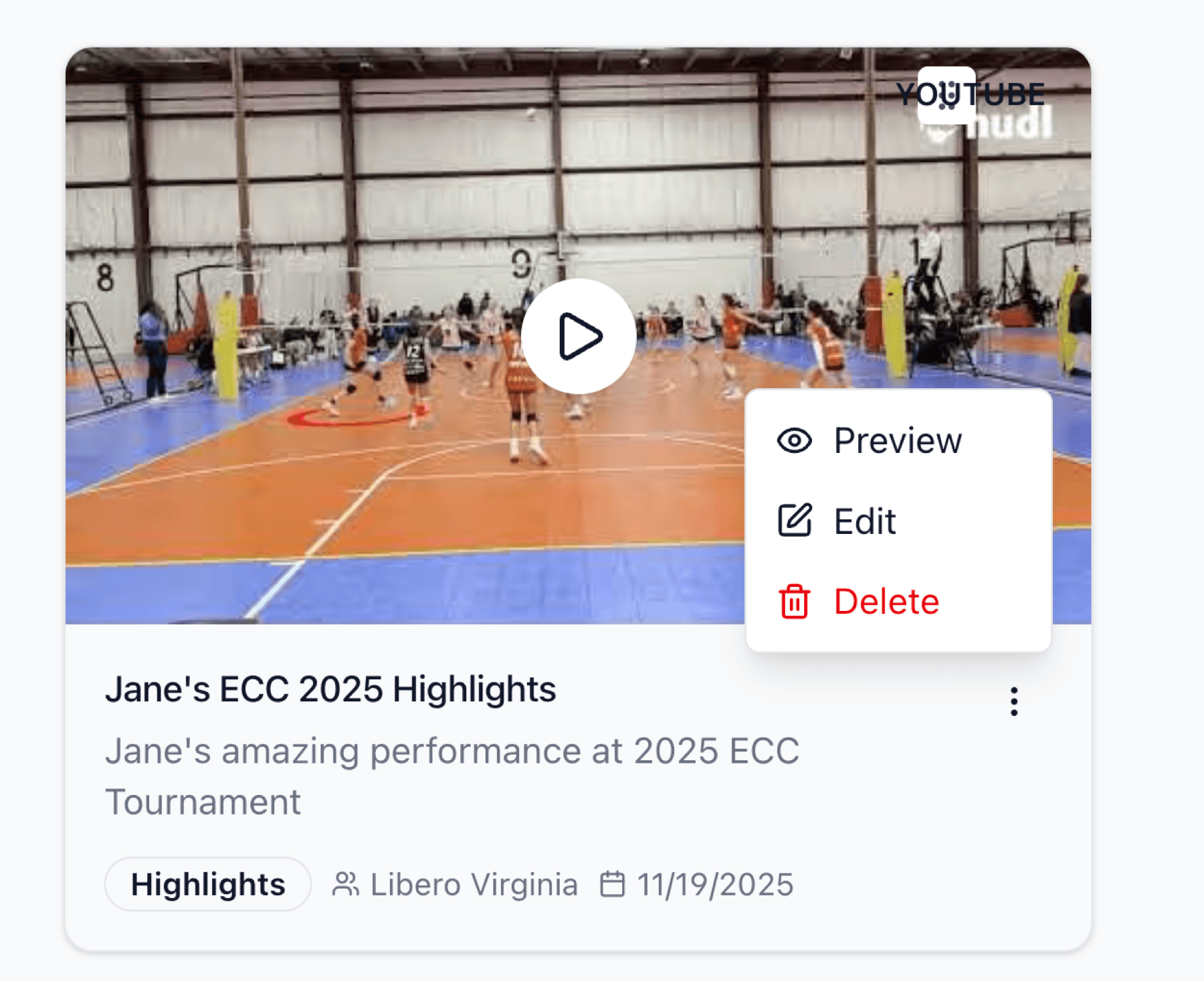
Each video has an actions menu (three dots) where you can edit or delete it. Videos appear in your showcase immediately after adding, and removing them is instant too. This gives you complete control over your player's video content.
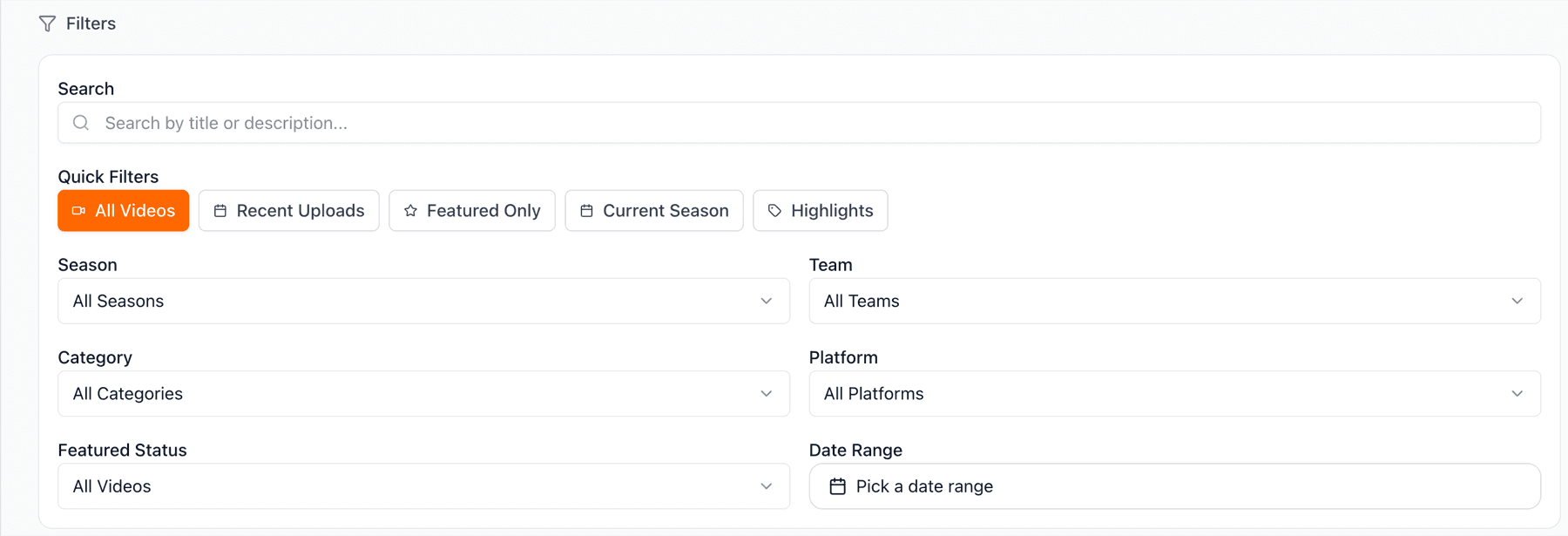
Use the filters at the top to organize your video library. Filter by category (Highlights, Full Game, Skills, Other), season, team, or view count. This makes it easy to find specific videos and understand which content is getting the most attention.